Examples
Built-in Geometry
This is an example showing how to create a mesh of a simple skrew using the built-in geometry module:
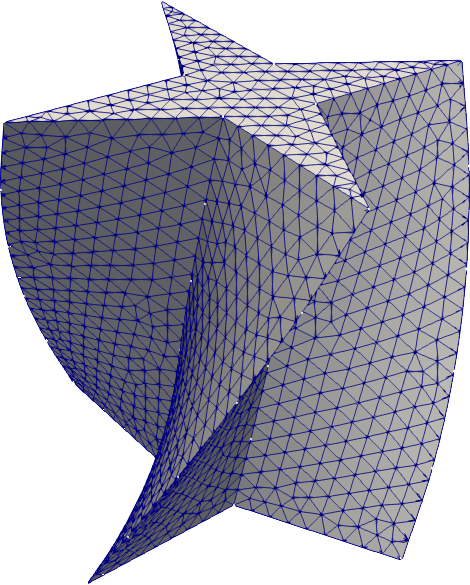
To create the above mesh, simply do:
1 2 3 4 5 6 7 8 9 10 11 12 13 14 15 16 17 18 19 20 21 22 23 24 25 26 27 28 29 30 | import pygmsh
import numpy as np
geom = pygmsh.built_in.Geometry()
# Draw a cross.
poly = geom.add_polygon([
[ 0.0, 0.5, 0.0],
[-0.1, 0.1, 0.0],
[-0.5, 0.0, 0.0],
[-0.1, -0.1, 0.0],
[ 0.0, -0.5, 0.0],
[ 0.1, -0.1, 0.0],
[ 0.5, 0.0, 0.0],
[ 0.1, 0.1, 0.0]
],
lcar=0.05
)
axis = [0, 0, 1]
geom.extrude(
poly,
translation_axis=axis,
rotation_axis=axis,
point_on_axis=[0, 0, 0],
angle=2.0 / 6.0 * np.pi
)
points, cells, point_data, cell_data, field_data = pygmsh.generate_mesh(geom)
|
to retrieve all points and cells of the mesh for the specified geometry. To store the mesh, you can use meshio; for example:
import meshio
meshio.write('test.vtu', points, cells, cell_data=cell_data)
The output file can be visualized with various tools, e.g., ParaView.
You will find the above mesh in the directory test/ along with other small examples.
OpenCASCADE Geometry
As of version 3.0, Gmsh supports OpenCASCADE, allowing for a CAD-style geometry specification.
This is an example showing how to create a mesh of a simple puzzle piece using the OpenCASCADE geometry module:
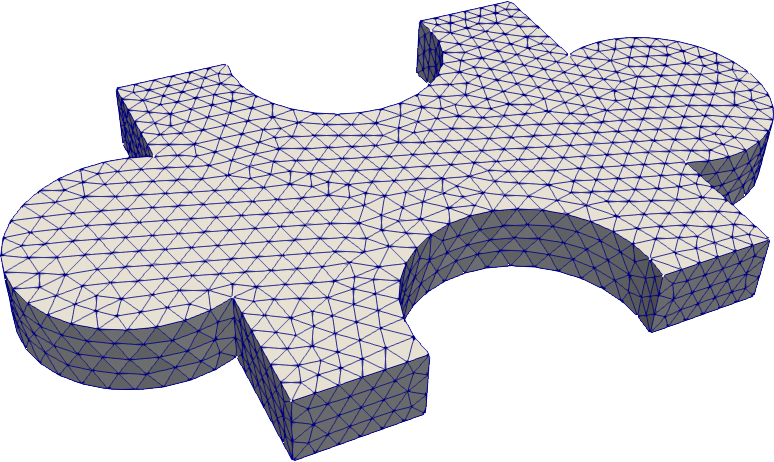
To create the above mesh, simply do:
1 2 3 4 5 6 7 8 9 10 11 12 13 14 15 16 17 18 19 | import pygmsh
geom = pygmsh.opencascade.Geometry(
characteristic_length_min=0.1,
characteristic_length_max=0.1,
)
rectangle = geom.add_rectangle([-1.0, -1.0, 0.0], 2.0, 2.0)
disk1 = geom.add_disk([-1.2, 0.0, 0.0], 0.5)
disk2 = geom.add_disk([+1.2, 0.0, 0.0], 0.5)
union = geom.boolean_union([rectangle, disk1, disk2])
disk3 = geom.add_disk([0.0, -0.9, 0.0], 0.5)
disk4 = geom.add_disk([0.0, +0.9, 0.0], 0.5)
flat = geom.boolean_difference([union], [disk3, disk4])
geom.extrude(flat, [0, 0, 0.3])
points, cells, point_data, cell_data, field_data = pygmsh.generate_mesh(geom)
|